continuing-cyan
continuing-cyan2y ago

stacked button layout not working in voiceflow

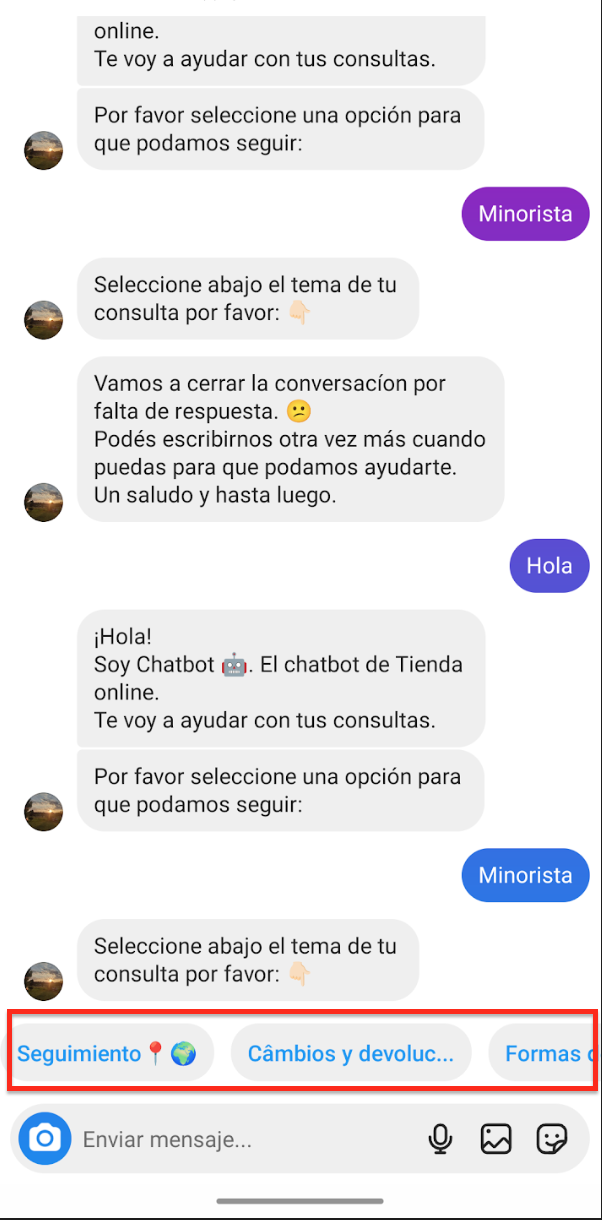
I already clicked on the Publish button and the issue remains. I would like that my chatbot buttons appear stacked. Does someone how to fix this issue?
No description
10 Replies
Tico | Voiceflow Assistant
To ensure your chatbot buttons appear stacked in Voiceflow, follow these steps: 1. Button Layout Options: - Go to the Prototype and Test Tool. - Click on the '...' menu. - Select Buttons Layout. - Choose Stacked to display your buttons vertically, left-aligned in the chat. 2. Publishing Changes: - Ensure you have clicked the Publish button on the Voiceflow Creator. This action compiles and trains your project, updating the live version with the latest changes. For more detailed guidance, you can refer to the Voiceflow Documentation on Project Versioning.
W. Williams (SFT)
Go to the button step and you will be able to change this in the Button step settings.
continuing-cyan
continuing-cyanOP2y ago
Doesn´t work
W. Williams (SFT)
Are you using VoiceGlow?
rare-sapphire
rare-sapphire2y ago
Voiceflow
continuing-cyan
continuing-cyanOP2y ago
No description
No description
W. Williams (SFT)
That is not the web chat. Are you using another app?
continuing-cyan
continuing-cyanOP2y ago
I´m testing in the Facebook Messenger
W. Williams (SFT)
Guessing that is the issue. Sorry @MikeG but you are the only FB guy I know - lol. Can you look over this thread?
MikeG
MikeG2y ago
It's not currently possible through FlowBridge You can leave feedback on it through through our roadmap! https://flowbridge.productlane.com/roadmap

Did you find this page helpful?