Agent doesn’t finish its sentences
I thought this was a bug or something but then it kept doing the same issue again and again.
I’ve tried increasing the model’s max tokens value but it never helped. Fe in the pictures I attached, I used GPT 4 and 4o with tokens of 4096
Can someone help me to identify and resolve the problem?
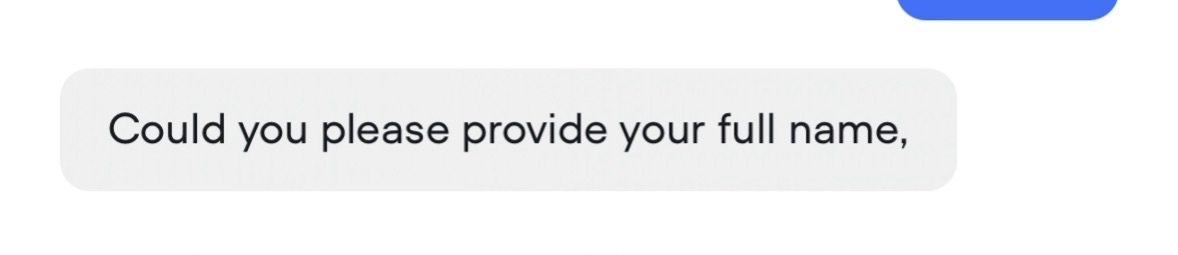
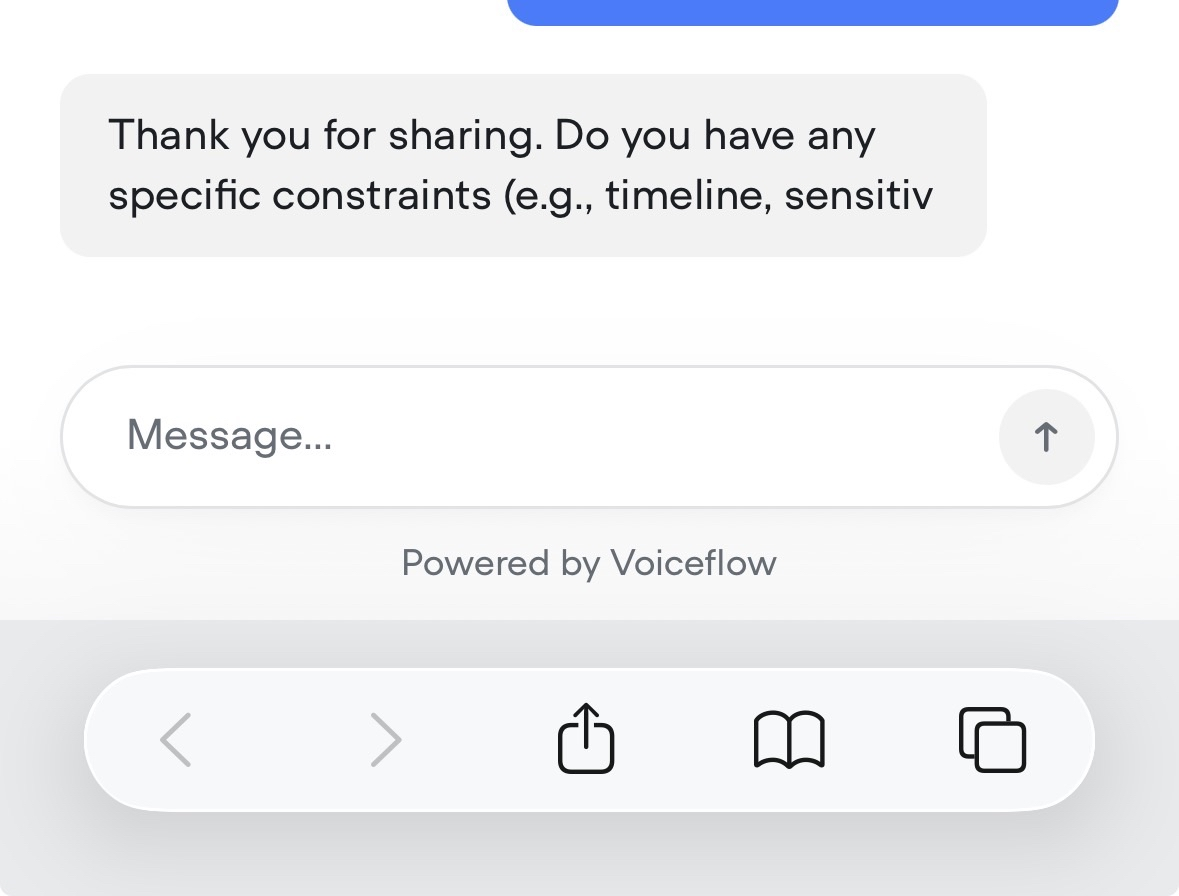

28 Replies
Based on what you're sharing, it definitely looks like a token issue. What have you set the max tokens to?
Also have you tried switching to another model (like claude) to see if that solves the problem?
It’s set to 4096 and the model I’m using are gpt4 and 4o
I’ll try to switch to some other models and will let know if that works
Out of curiosity, why GPT 4 and not 4o, 4.1 or 5?
GPT 4 is exponentially more expensive
One of the main reasons is that GPT 5 is taking a lot more time than gpt 4
Tested with different models, have Claude 4 now.
Started testing on phone and it got the same bug as previously mentioned here in the chat. However, in transcripts I can see that the message was outputted correctly in full format


Any ideas why this happens?
I personally use claude 4 too. Gives me the best results
Maybe try clearing cache/cookies and test again?
Also make sure you published the changes
@adi i just ran into a similar issue. in the Debug log, the Output row clearly shows the full multi-line message. in the web chat window, only the first line appears and the rest is cut off. in my situation, this is not being output by an agent step; it's coming from a regular Message step. also this part of the workflow has worked fine before, and this is the first time i've noticed this issue. (but unlike you, i haven't tried running this again to see if it happens consistently)
whats your max tokens?

adi wrote above that max tokens is set to 4096. (i figure your question is not for me, since my situation came from a message step, not an agent step)
I set max tokens to the maximum, thought that would solve the problem
But I think it just made it even worse because now the same issue is happening in the chat when I’m testing the workflow from start to end

At this point I think it’s worth to take a look at other ways of building agents… not on VF
@Steve B. | IntelleSync.ai dude any thoughts on what could be causing this?
This looks like a bug issue, there's enough tokens to produce a whole answer.
@NiKo | Voiceflow any chance you could help with this?
Can you provide some examples of complete messages from the logs that were cut off in the chat?
the issue i described above just happened to me again, where only the first line of the Message appears in the chat window, but the full multi-line message shows up in the Debug log. of course, i have no idea if it's related to adi's issue or not.
@chirashi Can you also share some logs to help @NiKo | Voiceflow out ☝️
DMed him
Thanks @chirashi ! A ticket has been made 👍🏻
Based on my test
[scooter]: will generate the cut off while [scooter] : will not produce any render issue. Most likely related to the way we are converting to markdown.I can also share my logs if that will help
Sure thing, that will help spotting some more combo/characters that might lead to the issue 👍🏻
thank you! for now, i'm just making sure to get rid of square brackets 😆
when can we see an update on this bug?
@NiKo | Voiceflow just wanted to touch base and see if there are any updates on these bugs
This relates to the markdown syntax for links. Unfortunately, there isn't much you can do except add rules in the prompts to format/prevent this issue for non-links. The Claude app and ChatGPT face the same problem for example.
@NiKo | Voiceflow We are also having the same issue on our end. No weird characters or emojis being generated. Text just cuts off in the embedded chat, but in voiceflow we see the full generated text in the logs
Hi there.
Can you please confirm if you are still experiencing the issue?
