BartP
BartP3mo ago

Add today's date to agent node

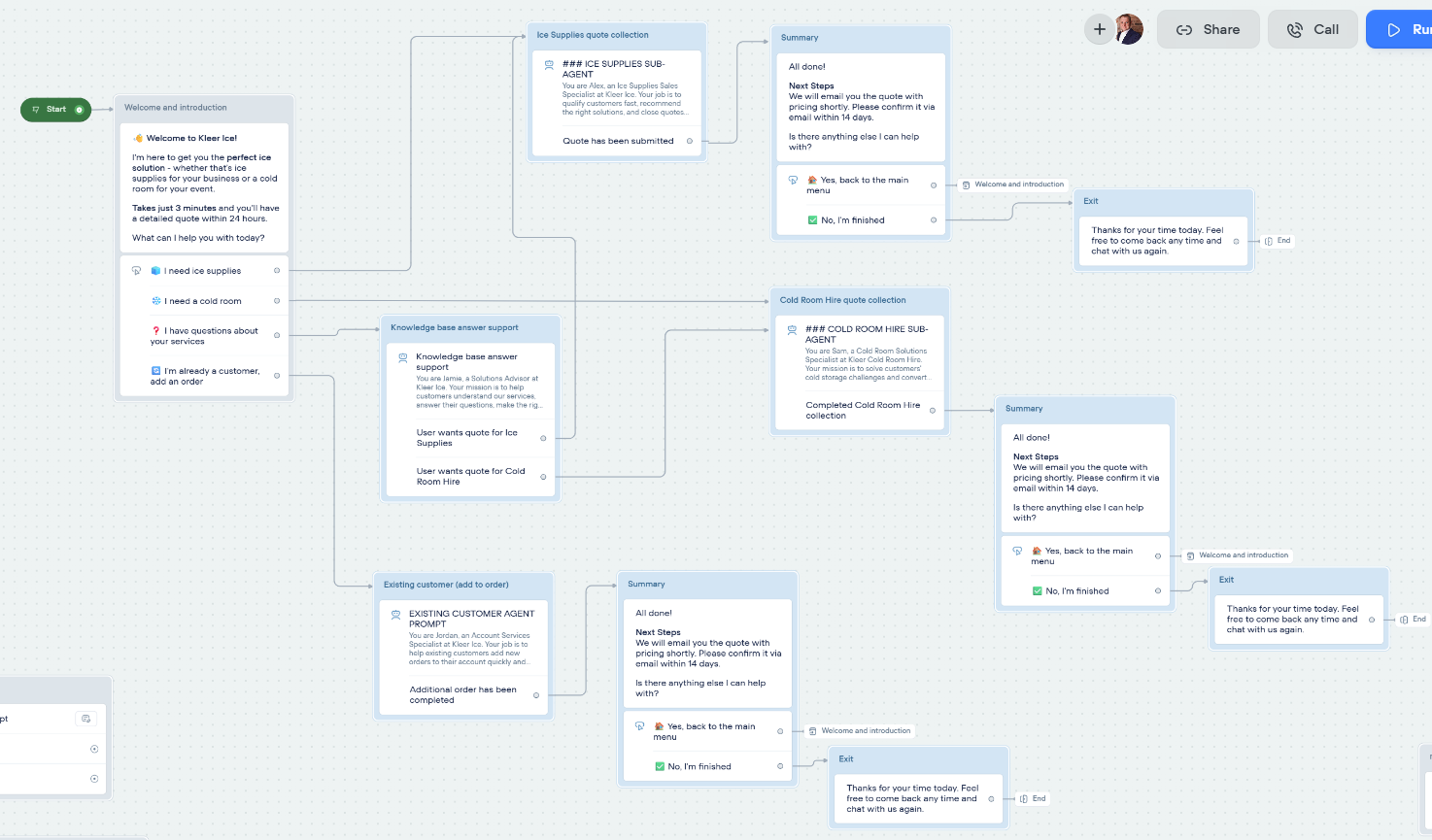
What's the easiest way to add today's date to an agent flow? Below is my flow. I've tried to set up a variable however it is not working as expected. I've also tried to add it as a function within the agent node itself without success. If it's possible to add it without an extra code / function block that would be best. I need the date to generate the summary at the end of the conversation, and users can book times etc that I need to capture. At the moment, for some reason, I am getting 'todays date as 30th Jan 2025' even though it's 28th Sep 2025 🙂
No description
6 Replies
Tico | Voiceflow Assistant
Here’s the quickest, no-API way to stamp “today’s date” into your agent and make sure it’s always correct: 1. Add a JavaScript step at the very start of your workflow (before any places where you’ll reference the date). 2. Inside the JS editor paste the snippet below – it populates an existing Voiceflow variable called date_today (rename if you already have a different var).
// automatically available: all your project variables
const now = new Date();

// 1) ISO (2025-09-28) – easy if you need to write to Airtable, Sheets, etc.
date_today = now.toISOString().split('T')[0];

// ‑- OR ‑- if you want a “28 Sep 2025” style label for the summary
// const opts = { day: 'numeric', month: 'short', year: 'numeric' };
// date_today = now.toLocaleDateString('en-GB', opts);

// no return needed – the JS step ends and the Default path continues
// automatically available: all your project variables
const now = new Date();

// 1) ISO (2025-09-28) – easy if you need to write to Airtable, Sheets, etc.
date_today = now.toISOString().split('T')[0];

// ‑- OR ‑- if you want a “28 Sep 2025” style label for the summary
// const opts = { day: 'numeric', month: 'short', year: 'numeric' };
// date_today = now.toLocaleDateString('en-GB', opts);

// no return needed – the JS step ends and the Default path continues
3. From any Text, API or other step just reference {{date_today}}. Why you were seeing “30 Jan 2025” • Voiceflow doesn’t ship a built-in current-date system variable, so if date_today was set once during testing it’s stored in Memory and keeps coming back until you overwrite or reset the prototype. Adding the code above guarantees it’s refreshed every run. • If you copied a formatting example like new Date(‘2025-01-30’) that hard-coded value would obviously repeat – a dynamic new Date() call avoids that. No extra Function step? A JavaScript step is lighter weight when you only need a few lines like this. A Function is great when you need to reuse or export it across projects, but for a single agent the JS step is perfect. Need a different timezone or format? Use toLocaleDateString() with the locale/timezone options you need:
const estDate = now.toLocaleDateString('en-US', { timeZone: 'America/New_York' });
After you drop this step in you should see the correct 2025-09-28 (or whatever today is) every time. Happy building!
https://docs.voiceflow.com
BartP
BartPOP3mo ago
can you update the above javascript to use Brisbane, Australia timezone please.
BartP
BartPOP3mo ago
code execution failed after I tried this javascript. To run it I just tested the javascript block. Is this the correct way to use it? The javascript block is currently not connected to any other node.
No description
No description
No description
BartP
BartPOP3mo ago
I've also tried this Javascript which has also come up with an execution code error: "// Very basic approach const today = new Date().toLocaleDateString(); return { brisbaneDate: today };"
majinnboo
majinnboo3mo ago
this code seemed to do the trick // 1. Create a new Date object. This captures the exact current moment. now = new Date(); // 2. Use toLocaleString() to format the date and time. // This method automatically formats the output based on the computer's // locale settings (e.g., month/day/year vs. day.month.year). formattedDateTime = now.toLocaleString(); // 3. Output the result to the console. console.log(formattedDateTime); oh actually voiceflow has a default timezone in the system so to set your time zone you would have to input that manually into your javascript code like this const now = new Date(); // Explicitly set the timeZone to Eastern Time. const optionsET = { timeZone: 'America/New_York', // Eastern Time identifier hour: 'numeric', minute: 'numeric', second: 'numeric', // You can optionally add 'timeZoneName: "short"' if you want to see 'EDT' }; // This forces the time to be displayed according to the Eastern Time Zone. var timeLocal = now.toLocaleString('en-US', optionsET); console.log(Current Eastern Time: ${timeLocal}); and {timeLocal} is the variable needed
Lucius_Aurelius
Lucius_Aurelius2mo ago
Choose Set step and in the expression field use this: new Date().toLocaleDateString('en-AU', { weekday: 'long', year: 'numeric', month: 'long', day: 'numeric', timeZone: 'Australia/Brisbane' })

Did you find this page helpful?



