Capitalization and API post call
Hi, I’m running into a couple of issues trying to generate a post call to Relevance AI and subsequently produce a quote based on my prompt.
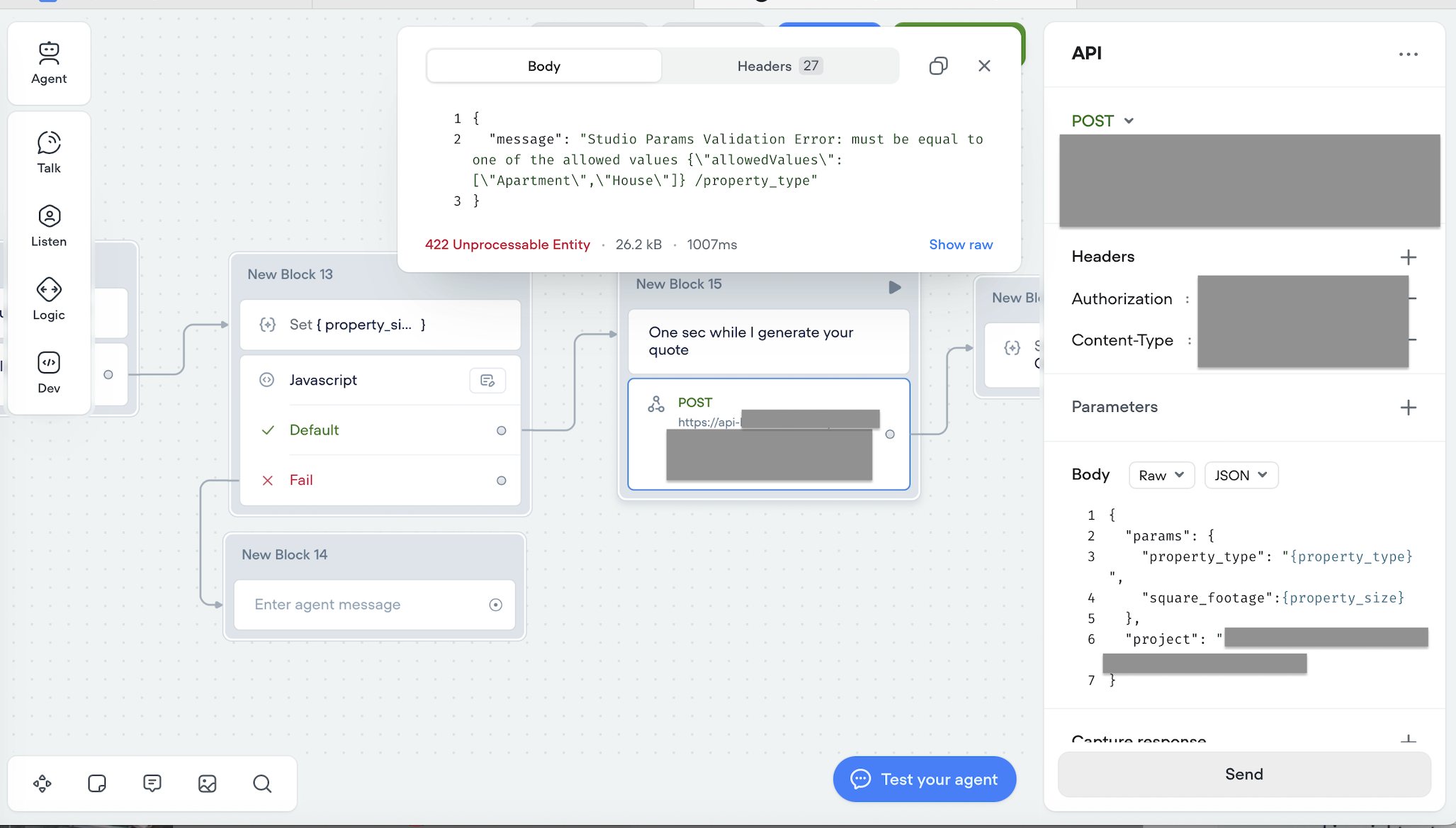
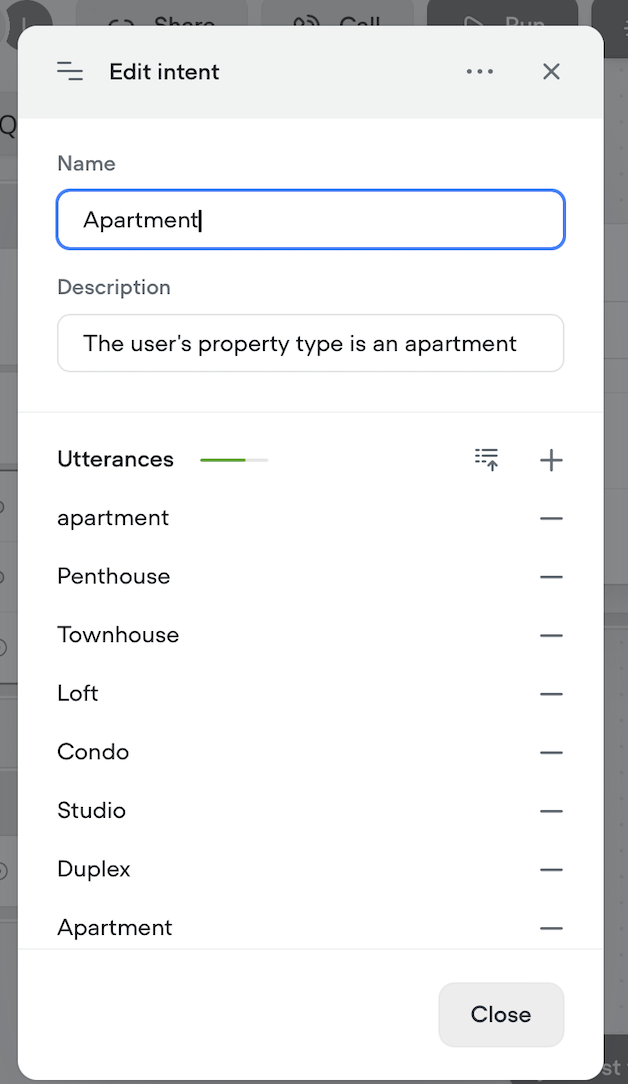
1. Capitalization, when I test a post call using a capitalized entry of “Apartment” the call is successful. However, if I test the call with lower case “apartment” the call is unsuccessful stating the only allowing entries are Apartment/House (screen attached). It’s my understanding that capitalization should not matter. As a workaround even when I added apartment as a possible option, the post call still failed. It also fails when I enter Penthouse even though it too is defined. Any suggestions to triage here?
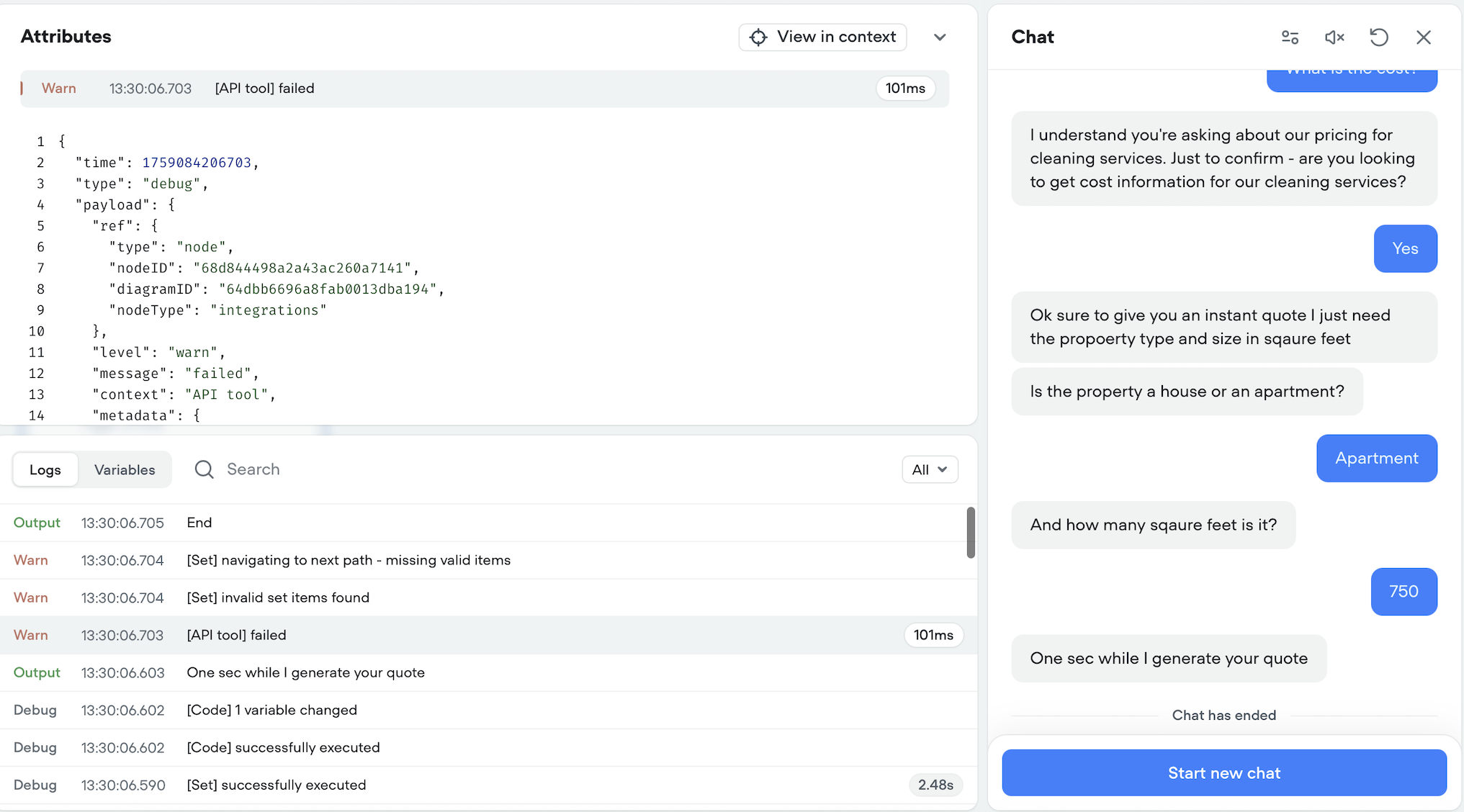
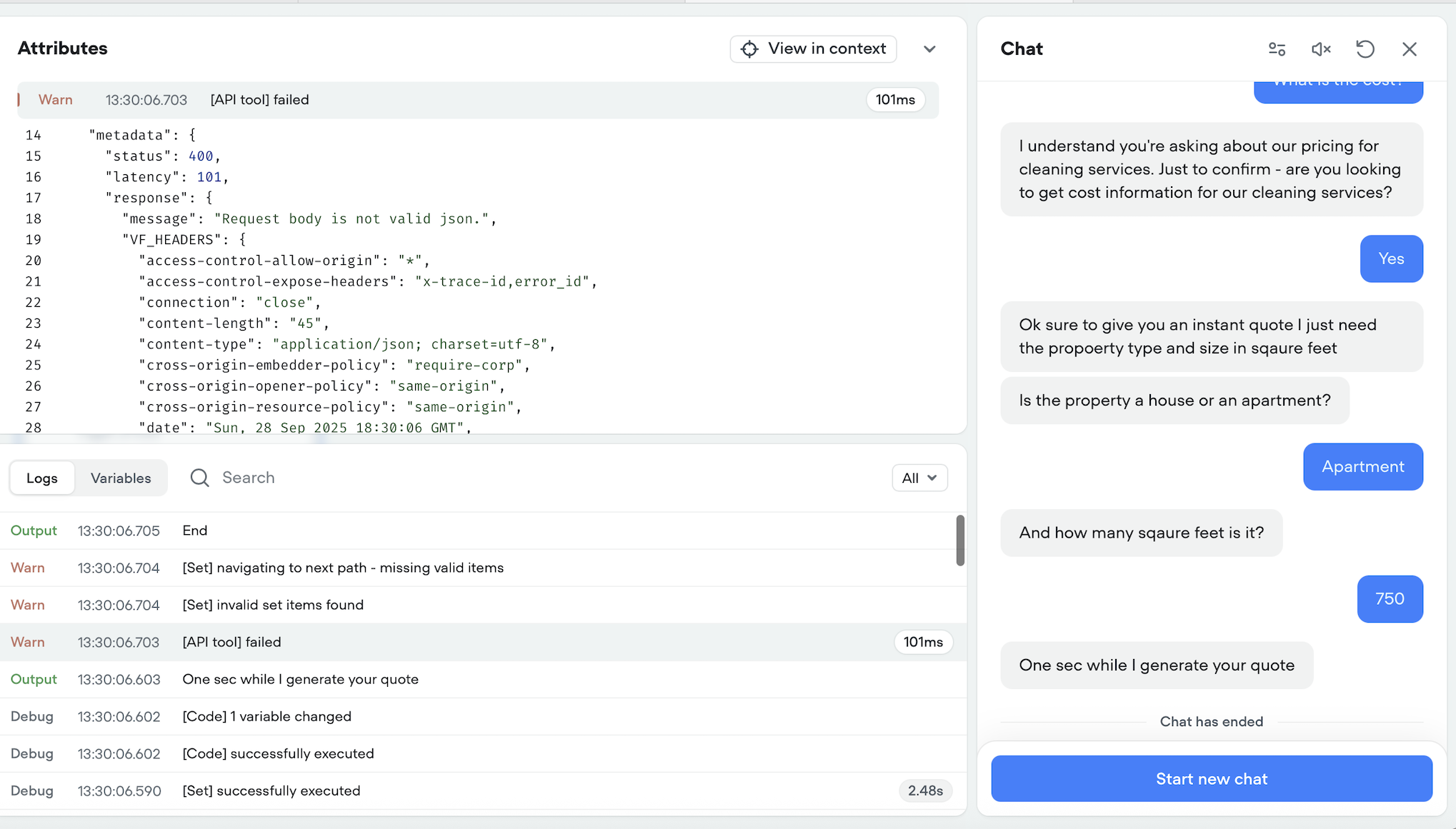
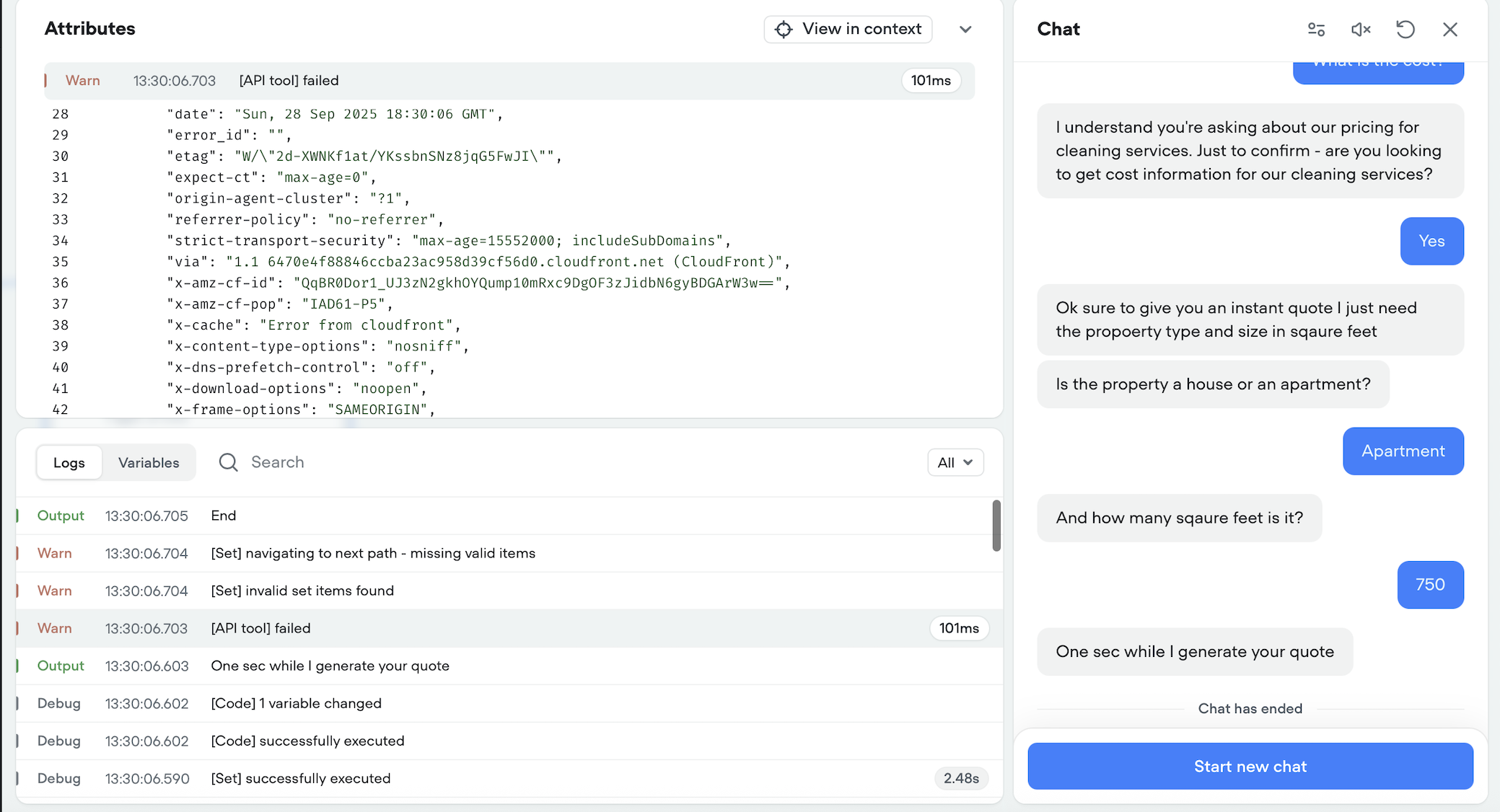
2. My agent should produce a proposed quote once the user enters a property_type and property_size into the chat box. However, no test produces a quote and simply ends the chat. I see a warning in the logs that the API is failing, even with the capitalized entry of Apartment (see attached) however, when I run the API test on its own I get a completed response without issue. Any help explaining this API error and why the quote won’t produce?
1. Capitalization, when I test a post call using a capitalized entry of “Apartment” the call is successful. However, if I test the call with lower case “apartment” the call is unsuccessful stating the only allowing entries are Apartment/House (screen attached). It’s my understanding that capitalization should not matter. As a workaround even when I added apartment as a possible option, the post call still failed. It also fails when I enter Penthouse even though it too is defined. Any suggestions to triage here?
2. My agent should produce a proposed quote once the user enters a property_type and property_size into the chat box. However, no test produces a quote and simply ends the chat. I see a warning in the logs that the API is failing, even with the capitalized entry of Apartment (see attached) however, when I run the API test on its own I get a completed response without issue. Any help explaining this API error and why the quote won’t produce?