Y
YWebsite Performance Issue
We have integrated the Voiceflow chatbot within our website, and are facing a few performance related issues that we would like to report.
The Problem
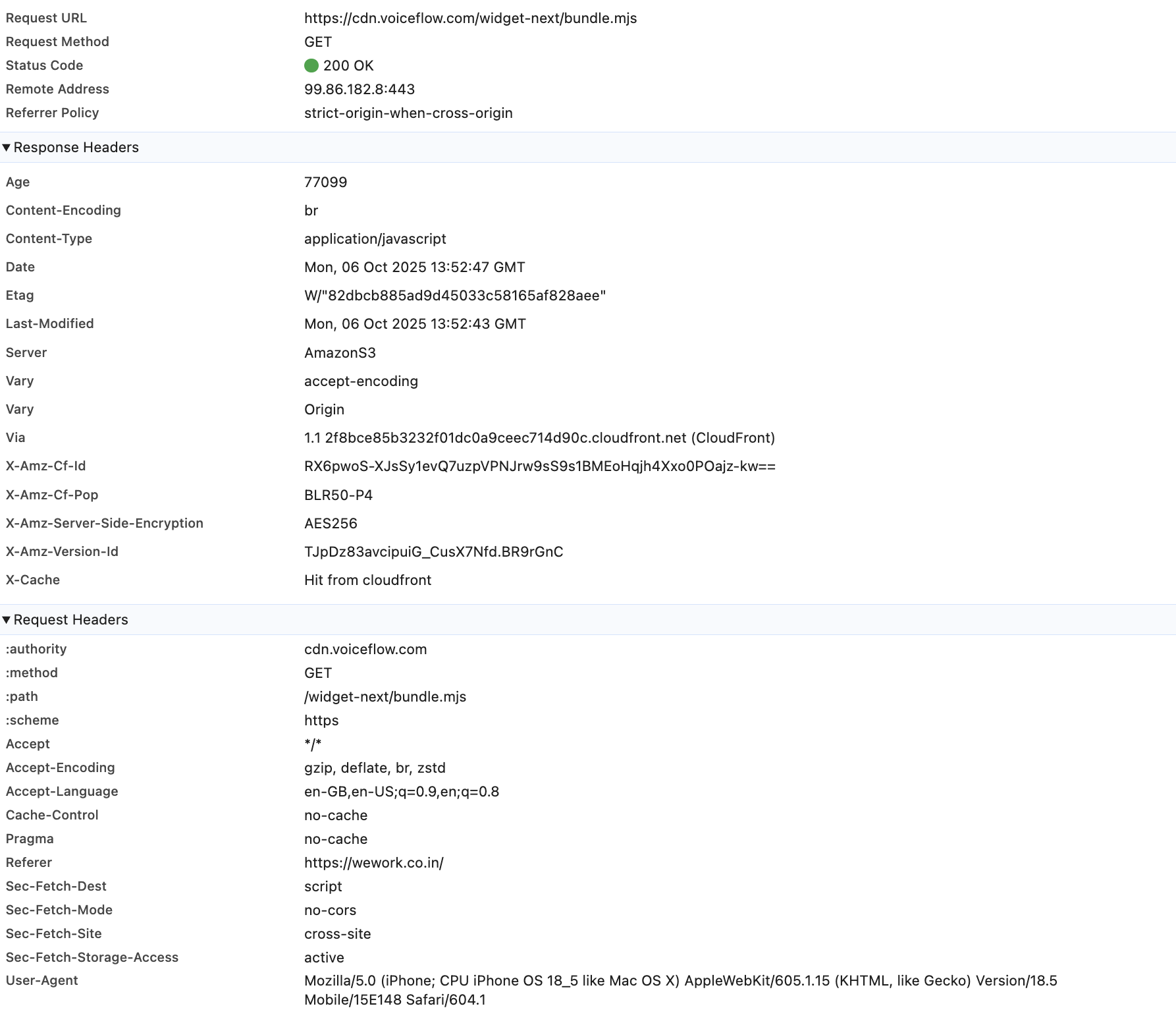
Our performance monitoring shows that the script, served from your CDN, is being fully re-downloaded on every page load, resulting in slow load times and unnecessary bandwidth usage.
We've confirmed this by observing the script's network status:
Voiceflow Script: Returns a 200 OK (from the network/CDN) every time.
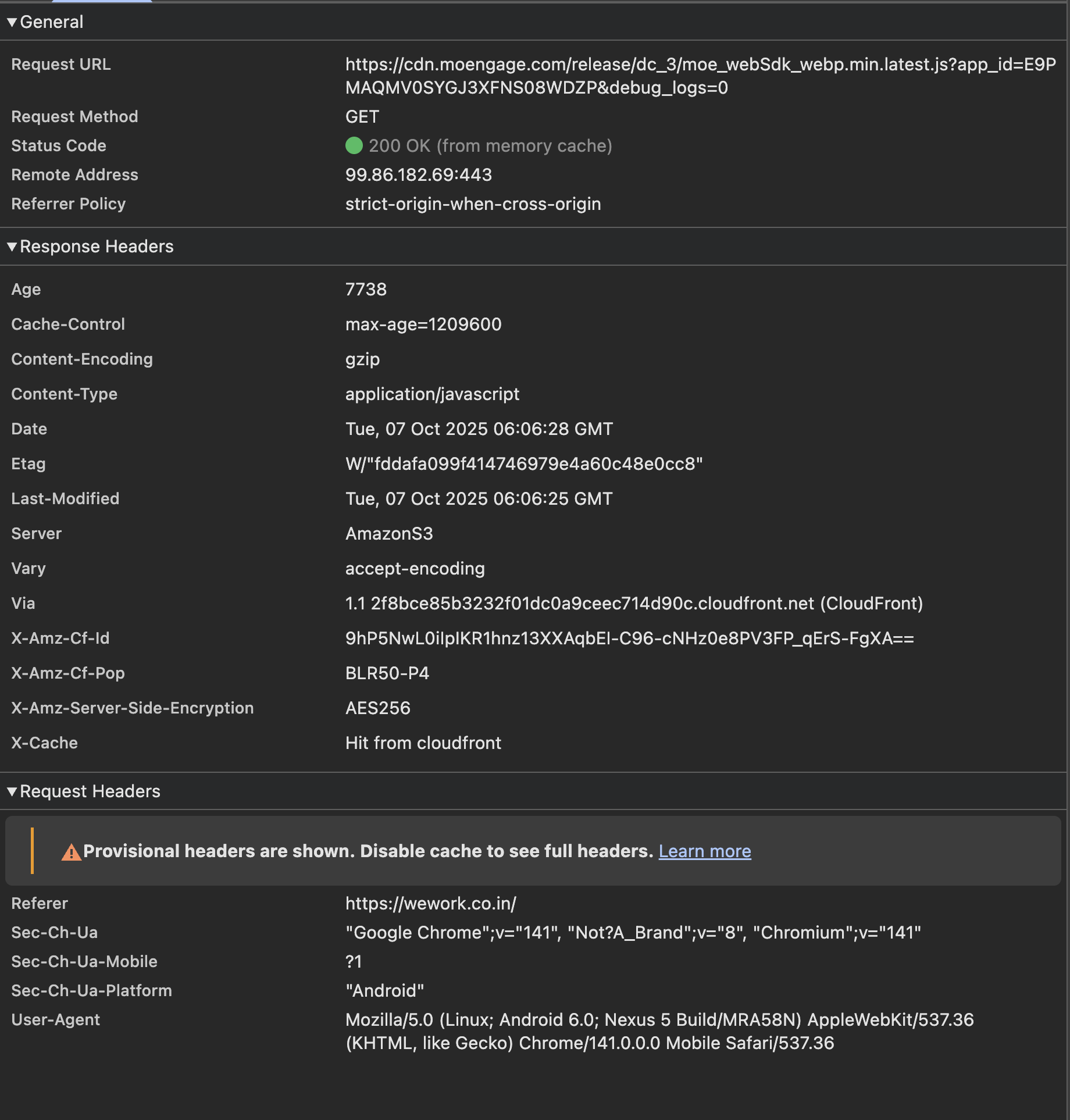
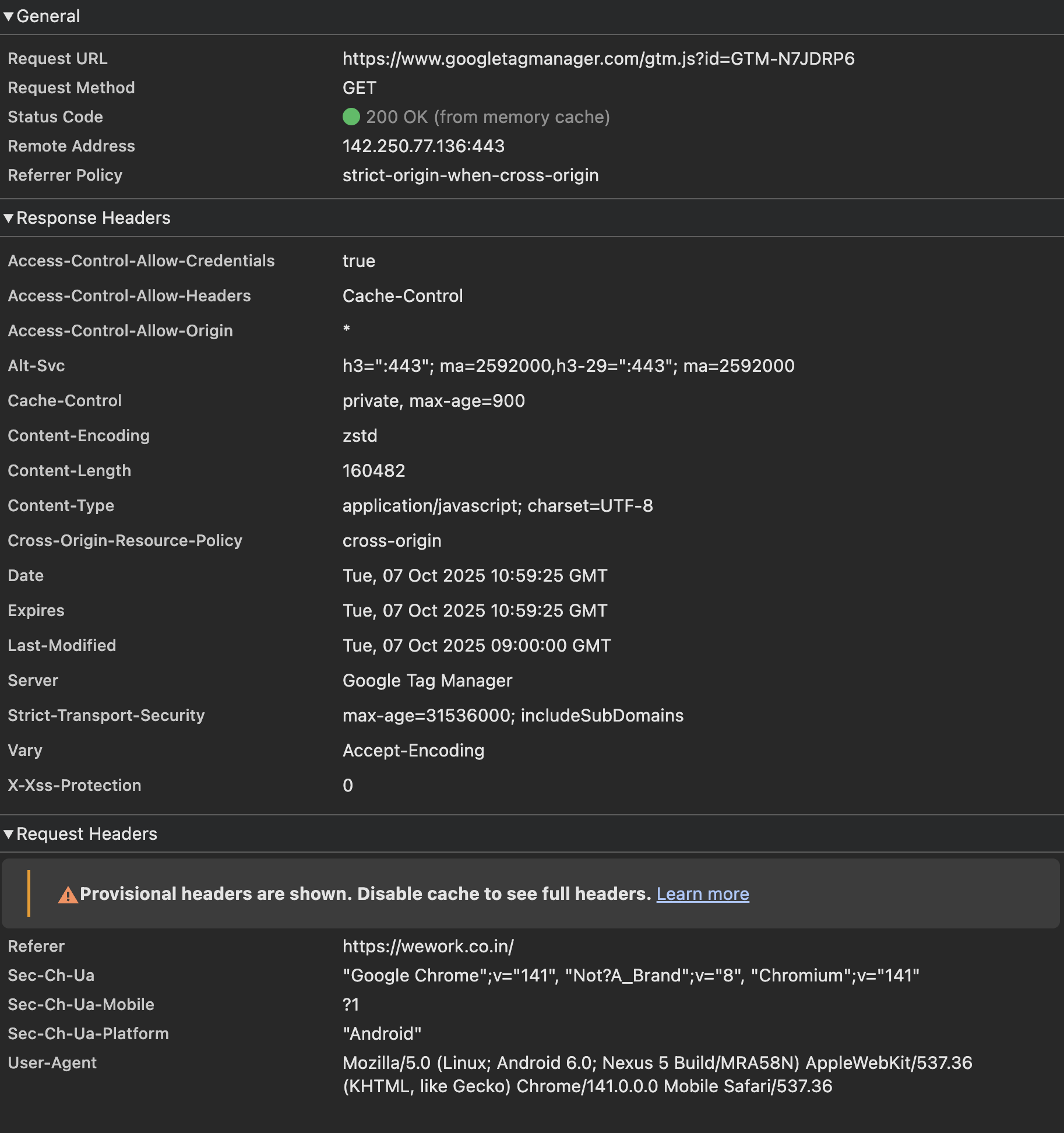
Other Scripts (e.g., GTM, Moengage): Correctly return a 200 OK (from memory cache), indicating they are being reused locally by the browser.
Technical Root Cause: Missing Cache Headers
The browser is failing to cache the Voiceflow script because the HTTP response from your server/CDN is missing the necessary directives to instruct the browser to store the file locally for an extended period. Specifically, the response is missing the
The documentation for the same can be found here - https://developer.mozilla.org/en-US/docs/Web/HTTP/Reference/Headers/Cache-Control.
Requested Resolution by the backend team
We request that the team immediately update the CDN configuration for the Voiceflow web to include a more suitable browser caching policy.
The ideal response header should be set to: Cache-Control: max-age=900
As the script is served directly from cdn.voiceflow.com, this change must be implemented on voiceflow's end.
This fix is essential for maintaining our target performance metrics. We request you to look into this matter and help us with a resolution at the earliest.
@Tico | Voiceflow Assistant @Braden @Daniel
P.S.
Apologies for tagging everyone
The Problem
Our performance monitoring shows that the script, served from your CDN, is being fully re-downloaded on every page load, resulting in slow load times and unnecessary bandwidth usage.
We've confirmed this by observing the script's network status:
Voiceflow Script: Returns a 200 OK (from the network/CDN) every time.
Other Scripts (e.g., GTM, Moengage): Correctly return a 200 OK (from memory cache), indicating they are being reused locally by the browser.
Technical Root Cause: Missing Cache Headers
The browser is failing to cache the Voiceflow script because the HTTP response from your server/CDN is missing the necessary directives to instruct the browser to store the file locally for an extended period. Specifically, the response is missing the
Cache-Control: max ageThe documentation for the same can be found here - https://developer.mozilla.org/en-US/docs/Web/HTTP/Reference/Headers/Cache-Control.
Requested Resolution by the backend team
We request that the team immediately update the CDN configuration for the Voiceflow web to include a more suitable browser caching policy.
The ideal response header should be set to: Cache-Control: max-age=900
As the script is served directly from cdn.voiceflow.com, this change must be implemented on voiceflow's end.
This fix is essential for maintaining our target performance metrics. We request you to look into this matter and help us with a resolution at the earliest.
@Tico | Voiceflow Assistant @Braden @Daniel
P.S.
Apologies for tagging everyone