
Variable-based image block issue
Looking to achieve:
I have a workflow that involves a loop with multiple variables being updated each time it loops round.
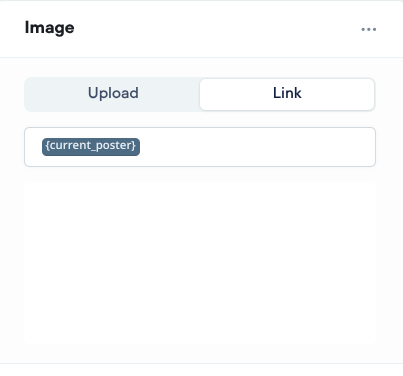
Within the loop I have an image block with a URL link image which itself is a variable. I have a {current_poster} and other variables that get updated for each iteration. The image block should show the {current_poster} which will be different for each loop.
Issue:
I'm seeing inconsistent behaviour. I know the {current_poster} variable is getting updated from the logs, but sometimes the image block shows the image from the previous loop, rather than the updated image. for the current loop.
All the other variables are being correctly updated and displayed, and if show the {current_poster} in a text block it shows the right link. It's just the image block that doesn't show the updated link.
Sometimes, it will fail to update after the first iteration (i.e. it will show image 1 for iteration 1, 2, 3 etc.). Sometimes it will show image 1 for iteration 1, image 2 for iteration 2, but then fail to update so it shows image 2 for iteration 3, 4 etc.
Tried so far:
- Detailed inspection of the variables to confirm they are getting updated correctly
- Deleting the variable in the image block and adding it again
Hope that makes sense.
Any ideas?
I have a workflow that involves a loop with multiple variables being updated each time it loops round.
Within the loop I have an image block with a URL link image which itself is a variable. I have a {current_poster} and other variables that get updated for each iteration. The image block should show the {current_poster} which will be different for each loop.
Issue:
I'm seeing inconsistent behaviour. I know the {current_poster} variable is getting updated from the logs, but sometimes the image block shows the image from the previous loop, rather than the updated image. for the current loop.
All the other variables are being correctly updated and displayed, and if show the {current_poster} in a text block it shows the right link. It's just the image block that doesn't show the updated link.
Sometimes, it will fail to update after the first iteration (i.e. it will show image 1 for iteration 1, 2, 3 etc.). Sometimes it will show image 1 for iteration 1, image 2 for iteration 2, but then fail to update so it shows image 2 for iteration 3, 4 etc.
Tried so far:
- Detailed inspection of the variables to confirm they are getting updated correctly
- Deleting the variable in the image block and adding it again
Hope that makes sense.
Any ideas?

Exclusive community for Voiceflow Solutions Providers & Content Creators.
13,076Members
Resources
Similar Threads
Was this page helpful?



