
DialogAPI Bug for old chats
❓API
I’m running into an issue with a Voiceflow project that’s connected to a mobile app through the Dialog Manager API.
We have a chatbot in Voiceflow, and our mobile app talks to it using the Dialog API. We support two session types: Registered user: the app passes a JWT access_token on launch. Guest user: the app does not pass an access_token (it should be null/empty), and instead uses a guest_token.
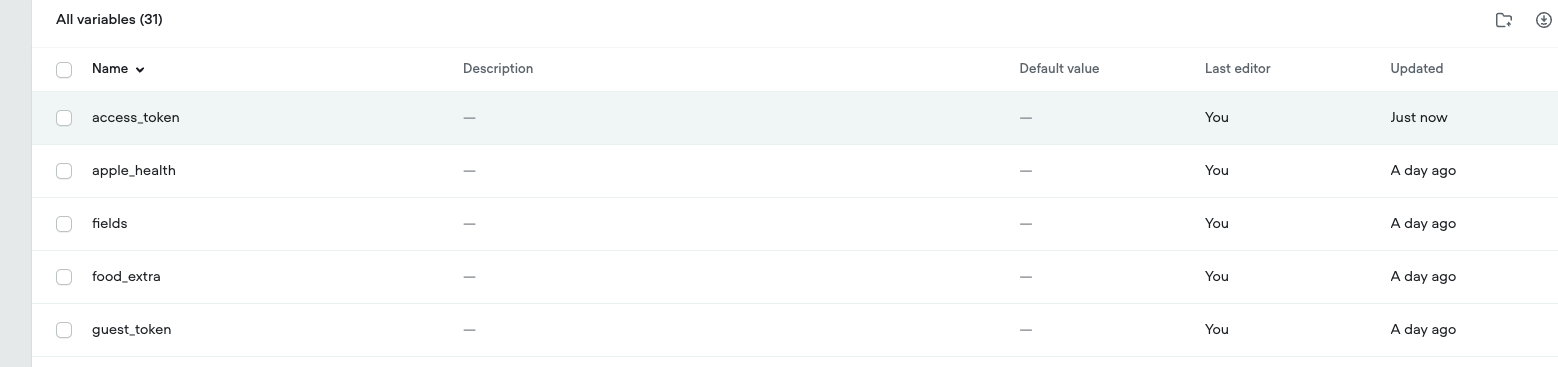
Our flow relies on those variables being empty unless the app explicitly provides them. In the current Voiceflow UI, the variables show null defaults, and there are no blocks in the diagram that set these variables at the beginning.
Despite the above, brand new guest/user sessions are starting with values already populated (not just access_token, but other custom variables too). The access_token specifically appears to contain a token from a previous test user setup (made with old voiceflow UI), which causes our flow to treat guests as registered users and call our “user” API endpoint with a bad token, resulting in 401 errors. Other variables arrays also appear pre-filled even though we never set them in the flow or via launch.
This looks like “test user” / “variable state” data is being applied as the default initial state for new sessions. I noticed this when getting this project via API we can see evidence that old test values exist in the exported JSON under the prototype/default context
In the past, Voiceflow had a UI feature where you could create test users / variable states to test a project with pre-filled variables. That UI is now gone, so we can’t delete or reset those test profiles anymore.
Could you confirm where the “default variables for a new session” are coming from (prototype context / legacy variable states), and what the supported way is to reset them now that the UI for test users is removed? If there’s an internal reset you can do on your side, we’d appreciate guidance.
We have a chatbot in Voiceflow, and our mobile app talks to it using the Dialog API. We support two session types: Registered user: the app passes a JWT access_token on launch. Guest user: the app does not pass an access_token (it should be null/empty), and instead uses a guest_token.
Our flow relies on those variables being empty unless the app explicitly provides them. In the current Voiceflow UI, the variables show null defaults, and there are no blocks in the diagram that set these variables at the beginning.
Despite the above, brand new guest/user sessions are starting with values already populated (not just access_token, but other custom variables too). The access_token specifically appears to contain a token from a previous test user setup (made with old voiceflow UI), which causes our flow to treat guests as registered users and call our “user” API endpoint with a bad token, resulting in 401 errors. Other variables arrays also appear pre-filled even though we never set them in the flow or via launch.
This looks like “test user” / “variable state” data is being applied as the default initial state for new sessions. I noticed this when getting this project via API we can see evidence that old test values exist in the exported JSON under the prototype/default context
In the past, Voiceflow had a UI feature where you could create test users / variable states to test a project with pre-filled variables. That UI is now gone, so we can’t delete or reset those test profiles anymore.
Could you confirm where the “default variables for a new session” are coming from (prototype context / legacy variable states), and what the supported way is to reset them now that the UI for test users is removed? If there’s an internal reset you can do on your side, we’d appreciate guidance.

Exclusive community for Voiceflow Solutions Providers & Content Creators.
13,076Members
Resources
Recent Announcements
Similar Threads
Was this page helpful?




