exotic-emerald
exotic-emerald2y ago

Error using Functions with Input and Output variables

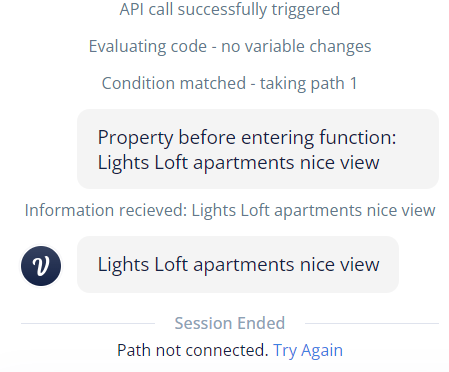
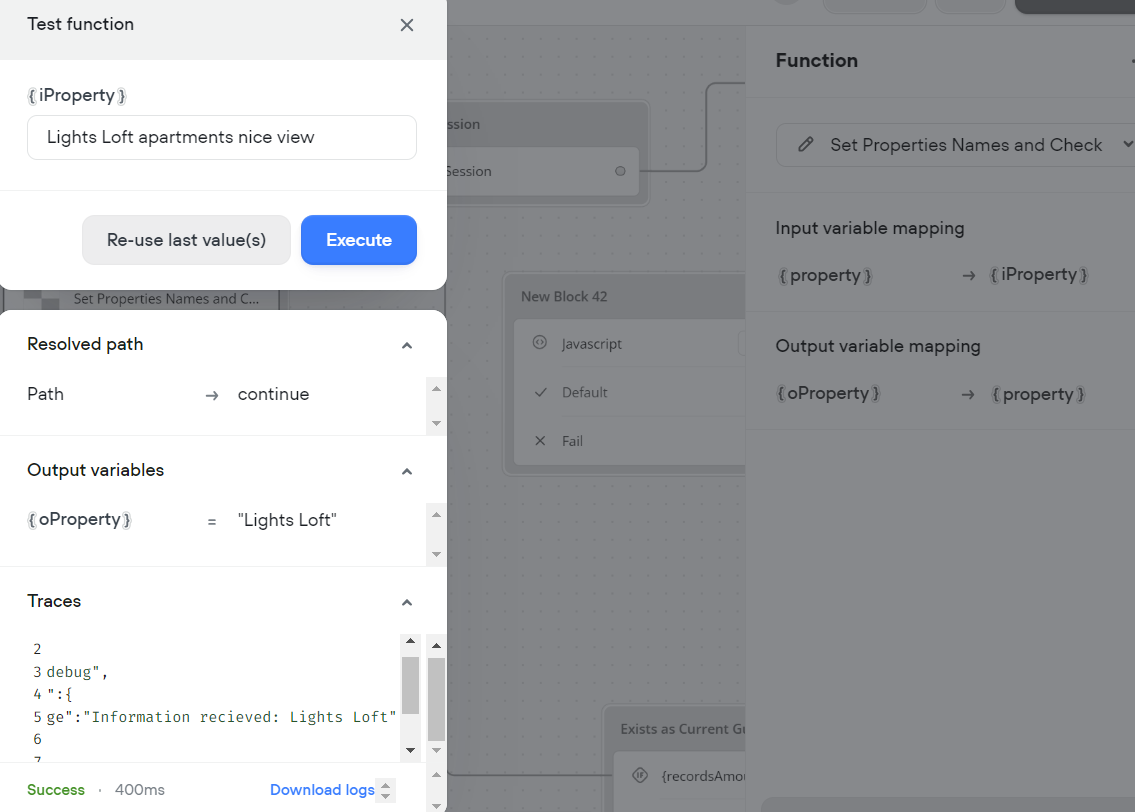
I am using this function to shorten a particular variable. When using the function test preview it is working perfectly, but when executing the flow it isn't actually showing the same. Can't really find the error.
No description
No description
10 Replies
exotic-emerald
exotic-emeraldOP2y ago
W. Williams (SFT)
Does the input data have double-qoutes?
exotic-emerald
exotic-emeraldOP2y ago
I'm not exactly sure what you're referring to, but it's kind of like you shed some light, and while trying to debug it I discovered that it's entering the function with a space at the end. I still don't know why, but it's resolved if I match it in the same way.
No description
exotic-emerald
exotic-emeraldOP2y ago
this is the only way it worked:
No description
W. Williams (SFT)
@bamelement another case of there being a trailing space. @nicofrank1 do you have a space in the input var within the function step?
exotic-emerald
exotic-emeraldOP2y ago
Oh yes, it is that. It was truly invisible to the eyes.
No description
exotic-emerald
exotic-emeraldOP2y ago
If I press enter to automatically fill the variable, that space is added.
W. Williams (SFT)
Yep. That is the default within VF. You should just add a .trim() to the input vars. we always do that on all our input text vars in all our functions.
exotic-emerald
exotic-emeraldOP2y ago
Awesome. Thanks again mate! you are God
unwilling-turquoise
unwilling-turquoise2y ago
@idmon check this thread out

Did you find this page helpful?