
optimistic-gold
optimistic-gold•7mo ago

Problem with disabling text stream

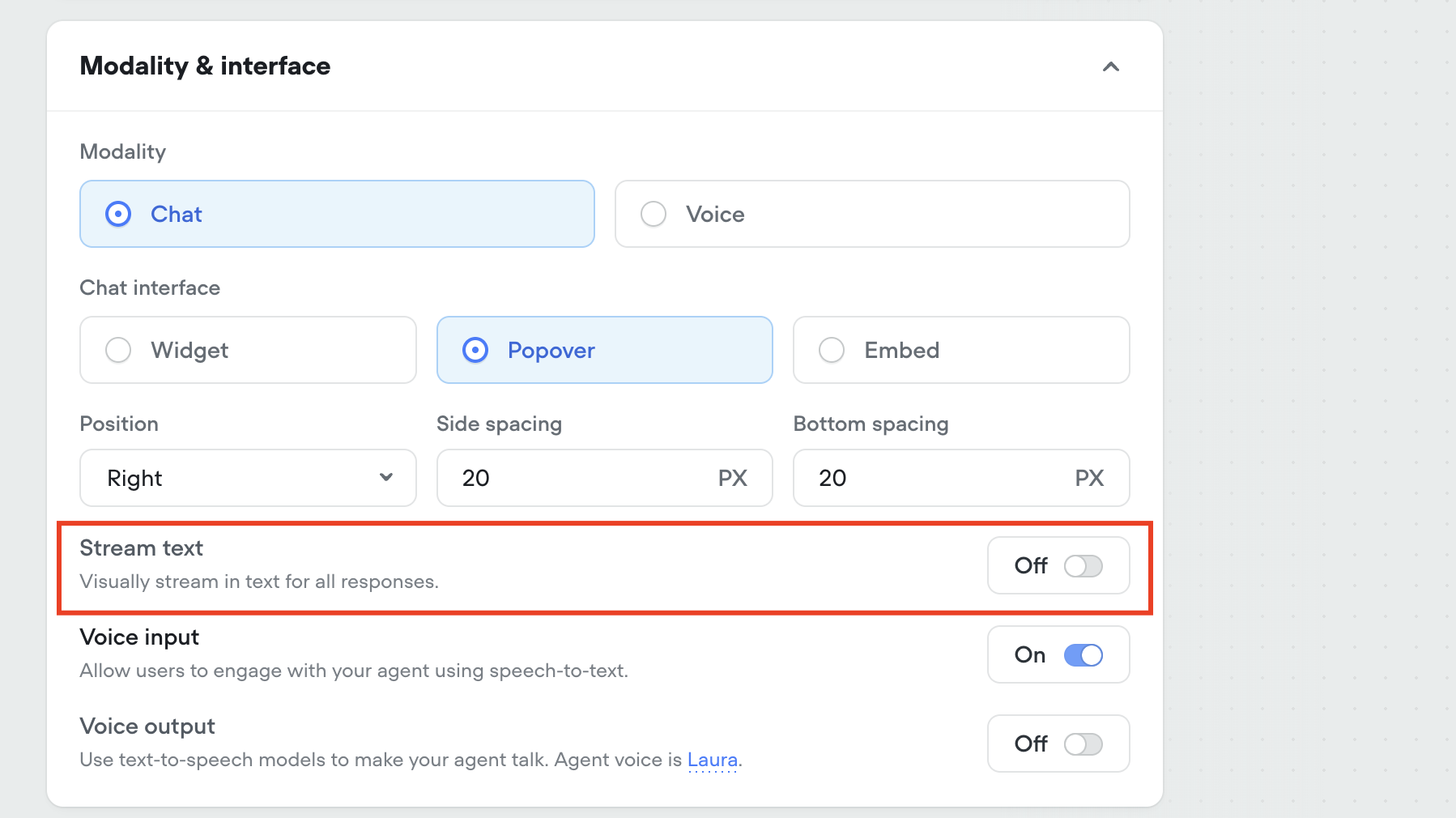
Hi Voiceflow team! 👋 I noticed that you recently released a feature to disable text streaming (so that messages are sent all at once rather than character-by-character). For my project, I really need the full message to appear at once — however, even though I’ve turned streaming off and re-published several times, the assistant still streams the message character by character. Is there anything else I need to do to make sure the message is sent as a whole? Would really appreciate your help — this is a crucial part of my project. Thanks in advance!
No description
8 Replies
Tico | Voiceflow Assistant
Hi Reda, Thanks for reaching out! The new toggle to disable text streaming is meant to let full messages appear at once once they’re ready. Since you’ve already enabled the option and re-published your project, here are a few troubleshooting steps to verify that everything is set up correctly: • Double-check that the “disable text streaming” toggle is saved properly in your project’s settings and that you’re using the updated project version. • Make sure you’re using the latest version of the Webchat widget. An older widget bundle might not fully support the new feature, so updating your integration snippet can help ensure the change is applied. • Clear your browser cache or test in an incognito/private window. Cached assets can sometimes override newly published changes. • Review any custom code or additional configurations you might be using to confirm they aren’t inadvertently re-enabling streaming. If you’ve confirmed all these steps and are still seeing character-by-character streaming, it could be a temporary issue with the feature release. The Discord community might have additional insights or workarounds while the team iterates on this update. For more details on configuring and deploying your Webchat, check out the Voiceflow docs at docs.voiceflow.com. Hope this helps!
optimistic-gold
optimistic-goldOP•7mo ago
I already tried all these steps, but the text is still streaming. In the voiceflow editor itself and also on the webchat widget which i placed on a website Additional i noticed that somehow when it comes to normal text answers the chatbot doesnt stream the text but when the chatbot uses an agent-step-generated answer, it streams the text again. So it seems a problem only with the agent step
W. Williams (SFT)
W. Williams (SFT)•7mo ago
@NiKo | Voiceflow @Braden seen this bug a few times
NiKo | Voiceflow
NiKo | Voiceflow•7mo ago
Thanks for reporting it, we've made a ticket so the team can look into it 👍🏻
optimistic-gold
optimistic-goldOP•7mo ago
Great, thank you.
davidoken
davidoken•2mo ago
Did this issue get solved? I'm clicking on disable streaming, but in my hosted website the streaming don't seem to get disabled. It do works inside VF though.
W. Williams (SFT)
W. Williams (SFT)•2mo ago
Did you publish your assistant again?
davidoken
davidoken•2mo ago
Yes I did. Still streaming.

Did you find this page helpful?



