
KB search does not understand structured product data | Add system instruction to KB search
❓API❓KB❓Webchat
Hello dear community,
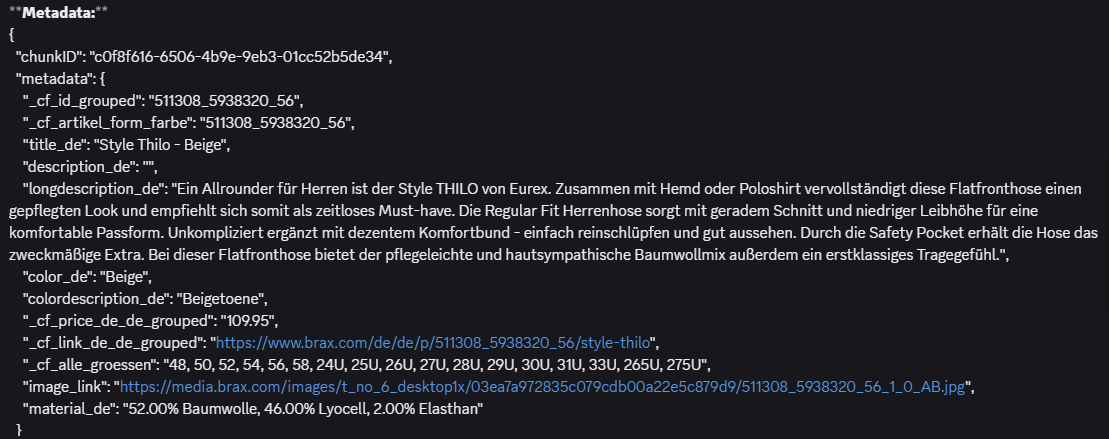
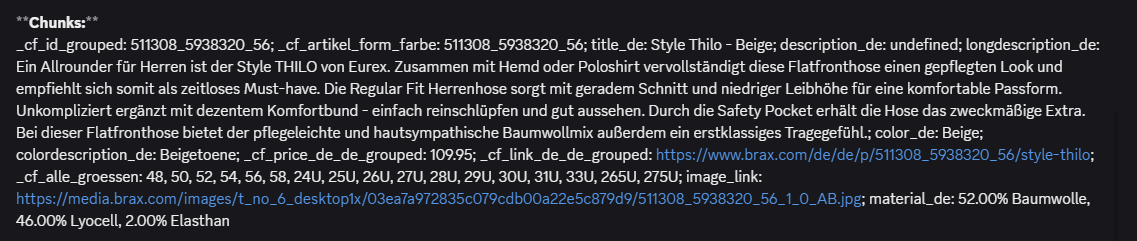
I am currently trying to build a product advisor as part of a shopping assistant in Voiceflow, the product data for this runs directly into the knowledge base. The relevant content is structured in both - the metadata and the chunks.
Unfortunately, when performing a search, the available information is sometimes not interpreted or searched correctly. To give a few examples:
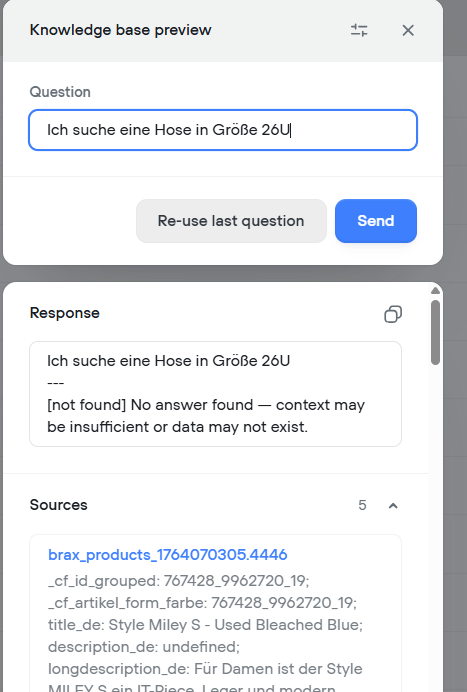
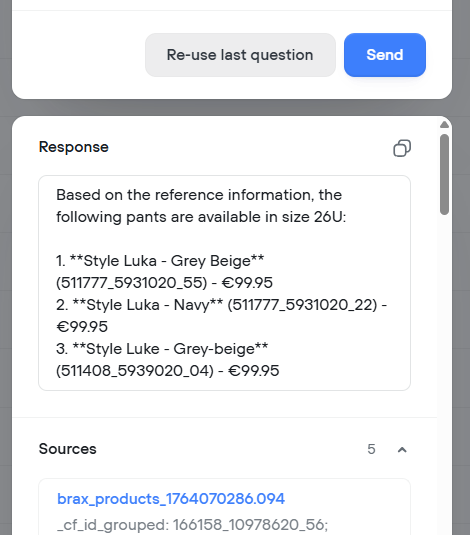
Example 1: A user enters the following question in the search field: “I am looking for pants in size 26U.” Result: Pants are found, when I try this search in English, but when I try the same question in German "Ich suche eine Hose in Größe 26U", there is no result.
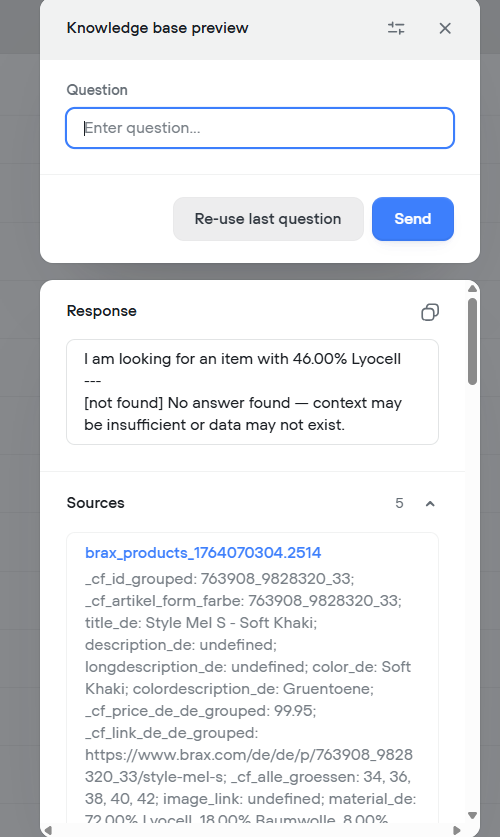
Example 2: A user enters the following question in the search field: “I am looking for an item with 46.00% Lyocell.” Result: No items are found, even though there are relevant articles in the KB (see screenshots attached).
Simple search queries such as “I am looking for a blue polo shirt for women” work fine.
I now have two questions in this context:
1. Why is the data stored in the knowledge base not being recognized and read correctly? Especially they are definitely available in the chunks and metadata.
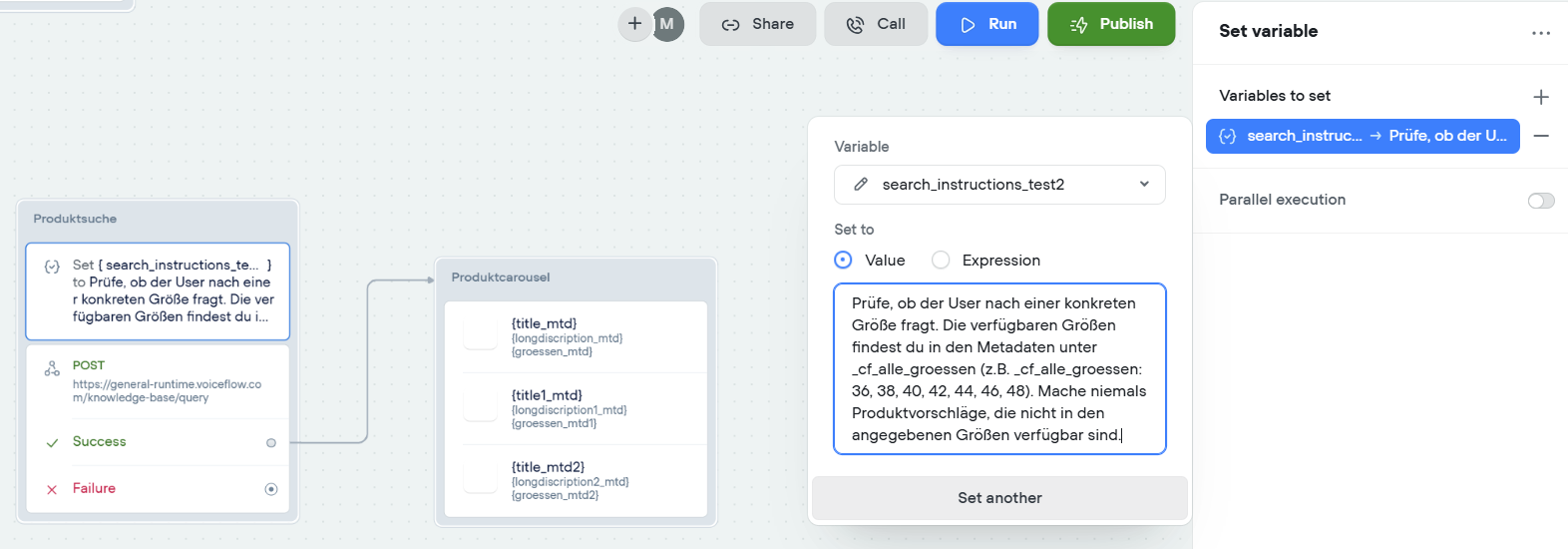
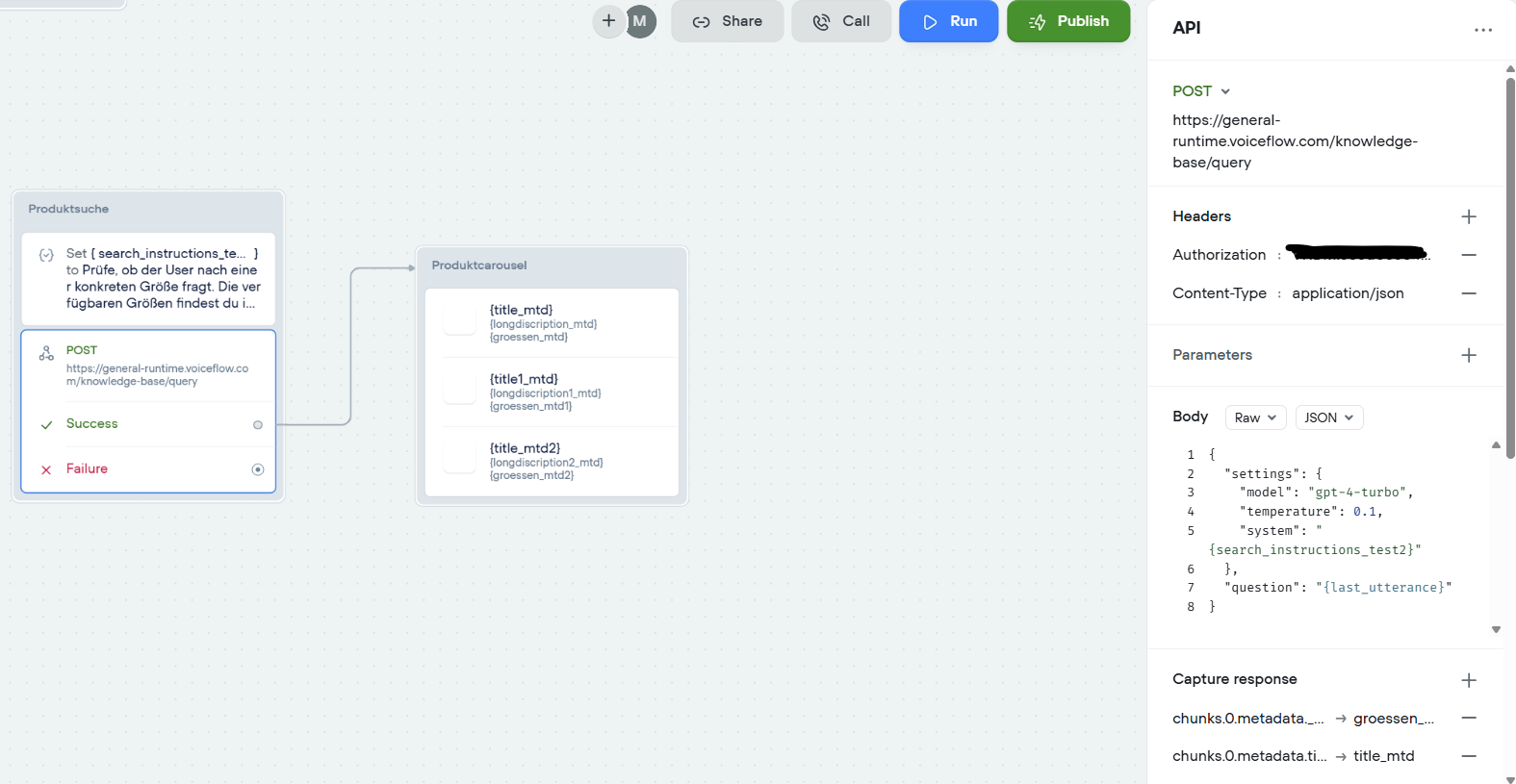
2. Is there a way to provide the system with additional explanatory instructions for searching the knowledge base? I tried to include these instructions in a variable in the API block via “system” (see screenshot), but this does not seem to have any effect.
Example: “If the user asks for an item in a specific size, only items that are available in the requested size should be returned. The sizes in which an item is available can be found in the metadata under chunks.metadata._cf_alle_groessen.”
I am grateful for any help!
I am currently trying to build a product advisor as part of a shopping assistant in Voiceflow, the product data for this runs directly into the knowledge base. The relevant content is structured in both - the metadata and the chunks.
Unfortunately, when performing a search, the available information is sometimes not interpreted or searched correctly. To give a few examples:
Example 1: A user enters the following question in the search field: “I am looking for pants in size 26U.” Result: Pants are found, when I try this search in English, but when I try the same question in German "Ich suche eine Hose in Größe 26U", there is no result.
Example 2: A user enters the following question in the search field: “I am looking for an item with 46.00% Lyocell.” Result: No items are found, even though there are relevant articles in the KB (see screenshots attached).
Simple search queries such as “I am looking for a blue polo shirt for women” work fine.
I now have two questions in this context:
1. Why is the data stored in the knowledge base not being recognized and read correctly? Especially they are definitely available in the chunks and metadata.
2. Is there a way to provide the system with additional explanatory instructions for searching the knowledge base? I tried to include these instructions in a variable in the API block via “system” (see screenshot), but this does not seem to have any effect.
Example: “If the user asks for an item in a specific size, only items that are available in the requested size should be returned. The sizes in which an item is available can be found in the metadata under chunks.metadata._cf_alle_groessen.”
I am grateful for any help!

Exclusive community for Voiceflow Solutions Providers & Content Creators.
13,076Members
Resources
Recent Announcements
Similar Threads
Was this page helpful?




